Always-on Service
Party Bots installs as a Windows Service so strategies keep executing even when the dashboard is closed.
Party Bots runs on your machine as an always-on Windows Service. Connect your Swyftx account with API keys stored locally and enforce risk rules before any live execution.
Not financial advice. Trading digital assets carries risk, including loss of capital. You configure strategies and accept all trading responsibility.
Features
Party Bots installs as a Windows Service so strategies keep executing even when the dashboard is closed.
Connect using least-privilege API keys you control. Keys stay on your machine inside an encrypted local vault.
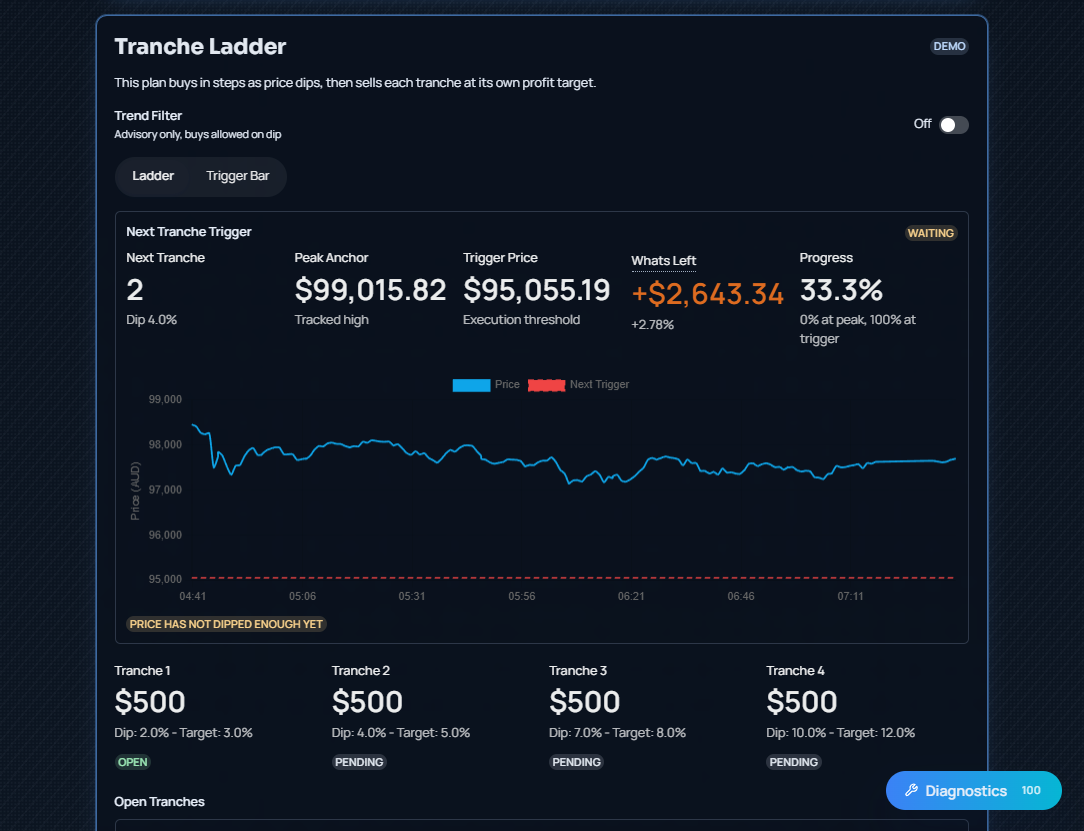
Default profile uses a 4-tranche ladder: buy into dips in staged entries and scale out on gains using predefined rules.
Set position sizing, stop-loss, max drawdown, and circuit breakers so the bot operates inside strict boundaries.
Monitor service health, event logs, and performance snapshots with transparent status views.
Backtest, dry-run, and paper trade before going live so you can validate behavior before live capital is exposed.
Dashboard preview
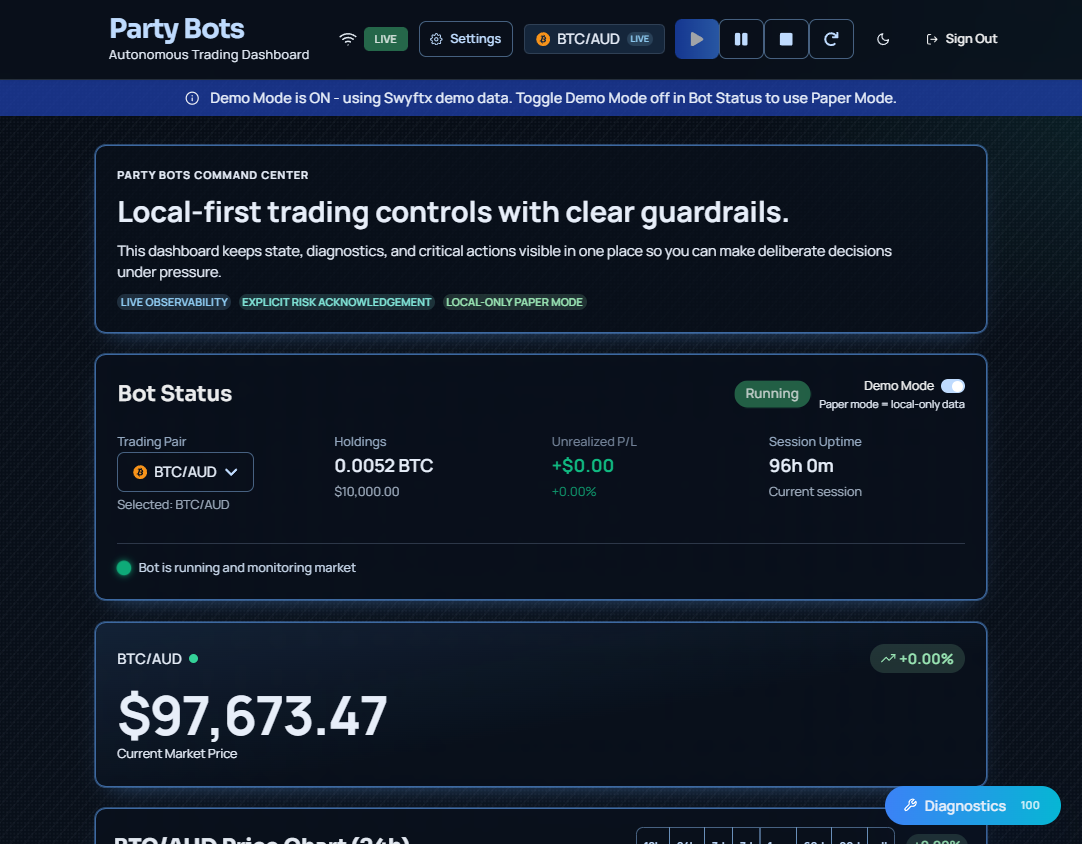
These are real Party Bots dashboard screens from the running app. The interface keeps strategy controls, trade activity, and service health in one operator-focused workspace.
How it works
01
Run the Windows installer. Setup is local, and no cloud account is required.
02
Windows Service Manager keeps the engine alive in the background, even with no UI open.
03
Paste API credentials once. Party Bots encrypts and stores them locally using OS-protected storage.
04
Set your 4-tranche dip-buy / gain-sell parameters, then enforce drawdown, exposure, and trade-rate constraints.
05
Start in demo mode, verify logs, and switch to live only when your guardrails behave as expected.
Local-first architecture
Party Bots executes locally as a service process. Config, credentials, and risk rules stay on your device while API calls are made directly to Swyftx on your behalf.
Security
This runs locally on your machine. No data is collected and no telemetry is emitted. It is entirely localized to your home computer.
Pricing
One plan. One price.
Party Bots License
$10 USD
One simple price for Party Bots.
FAQ
No. Party Bots is software for trade execution automation. Nothing on this page is financial advice or a recommendation to buy or sell any asset.
Yes. Core automation runs as a Windows Service in the background, so execution can continue without the dashboard open.
API credentials are stored locally in encrypted form using OS-protected storage patterns. You control key creation and revocation.
Yes. You can backtest, dry-run, and paper trade before switching to live mode.
Yes. Guardrails include position sizing controls, drawdown limits, exposure caps, stop-loss, and throttling.
Circuit breakers and fail-safe checks can pause execution. Health checks and logs surface issues so you can intervene immediately.
No. Party Bots runs locally on your machine. No data is collected and no telemetry is emitted.
No. Party Bots is an independent tool and is not affiliated with or endorsed by Swyftx.